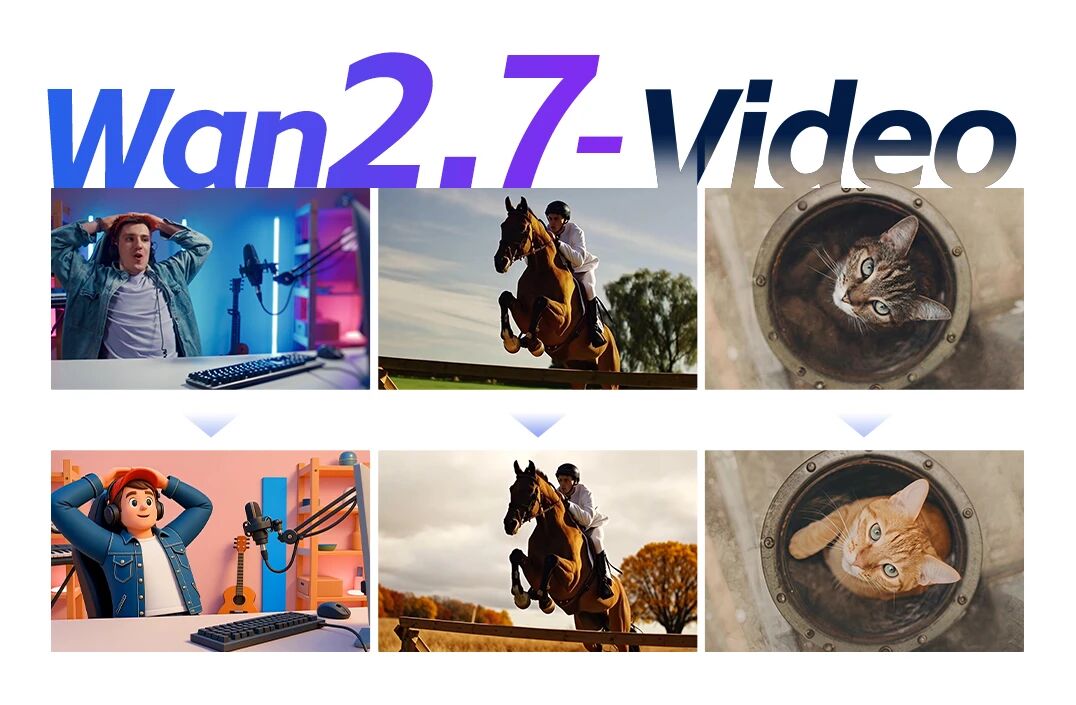
AI video generators have evolved far beyond simple text prompts, now producing increasingly realistic scenes. However, for many creators, one major challenge remains: lack of control. Wan 2.7 changes that. Instead of merely generating videos, it introduces a new way to create, one that feels closer to directing than prompting.
In this guide, we’ll explore how Wan 2.7 brings cinematic control, and why it represents a major shift in AI video creation workflows.
What Makes Wan 2.7 Different From Traditional AI Video Generators?
Wan 2.7 stands out by combining generation, editing, and control into a single workflow.
Unlike most AI video tools, Wan 2.7 is not just a generator, it’s a multi-stage AI video system. It integrates:
Text-to-video generation
Image-to-video control
Reference-based video creation
Prompt-based video editing
Video continuation and extension
This means creators are no longer limited to one-shot outputs. Instead, you can:
Generate a scene
Adjust specific elements
Extend or refine the sequence
Iterate like a real production process
This is what defines modern AI video workflows.
How Does Wan 2.7 Enable Cinematic Control in AI Video?
Wan 2.7 introduces multiple layers of control that mimic real filmmaking decisions.
The concept of cinematic control comes down to one thing:
Being able to guide not just what appears, but how it moves, feels, and evolves.
Wan 2.7 achieves this through several key mechanisms:
1. Reference-Based Video Generation
You can use images or videos as references to control:
Character appearance
Motion style
Camera movement
Scene composition
This transforms AI from “guessing” to following creative direction.
2. First Frame and Last Frame Control
Instead of random outputs, you can define:
How a scene starts
How it ends
This is especially powerful for:
Transitions
Story continuity
Cinematic storytelling
3. Multi-Modal Inputs (Text + Image + Video + Audio)
Wan 2.7 allows you to combine inputs:
Text defines narrative and intent
Image locks visual identity
Video controls motion and pacing
Audio drives rhythm and emotion
This is what enables true controllable AI video creation.
Can You Actually Edit AI Videos Like a Director With Wan 2.7?
Yes. Wan 2.7 allows you to modify videos using simple prompts instead of complex editing tools.
One of the biggest breakthroughs is instruction-based video editing.
Instead of using timelines or software like Premiere, you can:
Remove objects (“remove the car in the background”)
Change styles (“make it look like a noir film”)
Adjust scenes (“turn this into a sunset scene”)
Modify actions (“make the character walk instead of run”)
This makes AI video editing faster and more accessible than ever
More importantly:
You don’t need to regenerate everything
You only edit what matters
This is a major upgrade from traditional AI video tools.
How Does Wan 2.7 Maintain Character and Scene Consistency?
Consistency is achieved through reference locking and controlled generation.
One of the biggest issues in AI video has always been inconsistency:
Faces change
Objects shift
Scenes feel disconnected
Wan 2.7 solves this with:
Character Consistency
Use reference images to lock identity
Maintain appearance across scenes
Scene Continuity
Extend videos without breaking style
Keep lighting and composition aligned
Motion Stability
Use reference videos to guide movement
This is essential for:
Storytelling
Branding videos
Social media series
Why Is Wan 2.7 Important for Content Creators?
Wan 2.7 reduces production complexity while increasing creative control.
For creators, the biggest benefits are practical:
Faster Production
No need for shooting or complex editing
Rapid iteration with prompts
Lower Costs
Reduce reliance on large production teams
More Creative Freedom
Experiment with styles and ideas quickly
Scalable Content Creation
Produce multiple variations for marketing
This is especially valuable for:
Social media content
Advertising campaigns
Product videos
How Does Wan 2.7 Improve AI Video Storytelling?
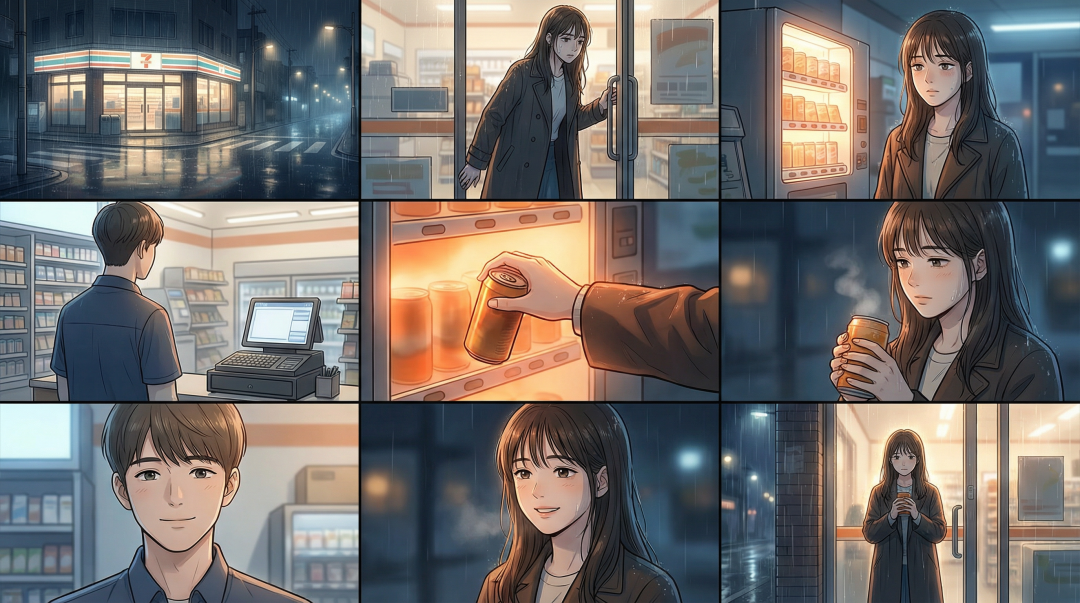
Wan 2.7 supports multi-shot storytelling and continuous scene development.
Most AI video tools generate isolated clips. Wan 2.7 goes further by enabling:
Multi-shot sequences
Scene transitions
Narrative continuity
Video continuation
You can:
Start with one clip
Extend it into a full sequence
Add transitions between scenes
This makes it possible to create:
Short films
Ads
Social media stories
All within a single AI system.
What Types of Videos Can You Create With Wan 2.7?
Wan 2.7 enables a wide range of video formats by combining controllable generation, editing, and reference-based workflows.
Unlike traditional AI video generators that produce isolated clips, Wan 2.7 allows you to plan, refine, and extend videos, making it suitable for real-world content creation across multiple industries.
1. Marketing and Advertising Videos
Wan 2.7 is especially powerful for creating high-quality marketing content without a full production team.
With reference-based video generation and prompt-based editing, you can:
Generate product scenes from text
Replace backgrounds or environments
Adjust lighting, style, or mood for branding
Example:
A brand can create a product ad showing a smartwatch in different environments (gym, office, outdoor) by editing the same base video instead of reshooting multiple scenes.
2. Social Media and Short-Form Content
Wan 2.7 makes it easy to produce scroll-stopping short videos optimized for platforms like TikTok, Instagram, and YouTube Shorts.
Using multi-modal inputs (text + image + audio), creators can:
Maintain character consistency across clips
Sync visuals with music or voiceovers
Quickly generate variations for testing
Example:
A creator can generate multiple versions of a short video with different hooks, styles, or pacing to optimize engagement and A/B test content.
3. Cinematic and Story-Driven Videos
Wan 2.7 supports multi-shot storytelling and scene continuity, making it possible to create more narrative-driven content.
With features like:
First/last frame control
Video continuation
Camera and motion references
You can:
Build sequences instead of isolated clips
Control transitions between scenes
Maintain visual consistency throughout a story
Example:
A short cinematic sequence of a character walking through a city can be extended into multiple scenes, with consistent lighting, motion, and perspective, without restarting the generation process.
4. AI-Enhanced Video Editing and Remixes
Wan 2.7 allows creators to edit existing videos using simple instructions, opening up new creative possibilities.
With instruction-based video editing, you can:
Remove or replace objects
Change styles (e.g., realistic → anime → cinematic)
Modify actions or scenes
Example:
A travel video can be transformed from a daytime vlog into a cinematic sunset sequence by changing lighting and atmosphere through prompts instead of manual editing.
5. Scalable Content for Businesses and Teams
For businesses, Wan 2.7 enables high-volume content production with consistency.
Using reference locking and workflow iteration, teams can:
Reuse the same visual assets across campaigns
Generate multiple versions for different audiences
Maintain brand identity across videos
Example:
An e-commerce brand can create dozens of product videos with consistent style and layout, simply by adjusting prompts and references.
6. Experimental and Creative Projects
Wan 2.7 also opens the door for creative experimentation.
Because you can:
Combine references
Iterate rapidly
Modify scenes at any stage
Creators can explore:
New visual styles
Hybrid storytelling formats
Concept-driven video art
Example:
An artist can start with a realistic scene and gradually transform it into a stylized or surreal sequence through iterative edits.
Wan 2.7 doesn’t just improve AI video quality, it changes how videos are made.
By combining generation, editing, and control, it allows creators to move beyond simple prompts and start thinking like directors.
Instead of asking “what will the AI generate?”
You start asking “how do I shape this scene?”
And that’s the real breakthrough.
Now it’s your turn!
Try creating your own video with 🔗Wan 2.7 AI Video Generator, experiment with references and edits, and explore what it feels like to direct, not just generate.